


For a long time, if you wanted something like the Wacom Cintiq Pro 24 but didn’t want to spend quite so much money, you were pretty much out of luck. The Xencelabs Pen 24, released earlier this year, is $300 less than the Cintiq Pro 24 and includes a lot of add-ons that Wacom charges for, including two different pen options.
The basics
The Xencelabs Pen Display 24 is a direct-on-display drawing tablet that features a built-in 24-inch screen (actually 23.8 if you’re being nitpicky — but Wacom’s 24 is 23.6) with 4K (3840×2160) resolution. It weighs 13.3 lbs, which is more than two pounds lighter than the Wacom Cintiq Pro 24. The color rendering covers 99% Adobe RGB, and 93% DCI-P3, and it’s both Pantone and Pantone SkinTone Validated. There’s a 178-degree viewing angle for generous off-axis viewing, and it has 8,192 levels of pressure detection.
The display is mostly reflection-free thanks to its etched glass matte surface, which also helps it feel a lot like drawing on traditional paper media. As mentioned, Xencelabs also includes two dfferent pens right in the box, including one with three buttons and a thicker grip, as well as a thin pen that’s lighter in the hand; both pens include erasers and there are a range of nibs in the box, including both standard and those designed to mimic felt nibs.
Another included accessory is Xencelabs’ Quick Keys controller, which has a built-in two-tone OLED display. This features a number of customizable buttons that control common functions in drawing, painting and photo-editing apps, like undo/redo, zoom/pan and much more. These can be set on a per-app basis or tailored to your needs, and the OLED readout offers a lot of added convenience versus Wacom’s ExpressKeys, which has no integrated display.
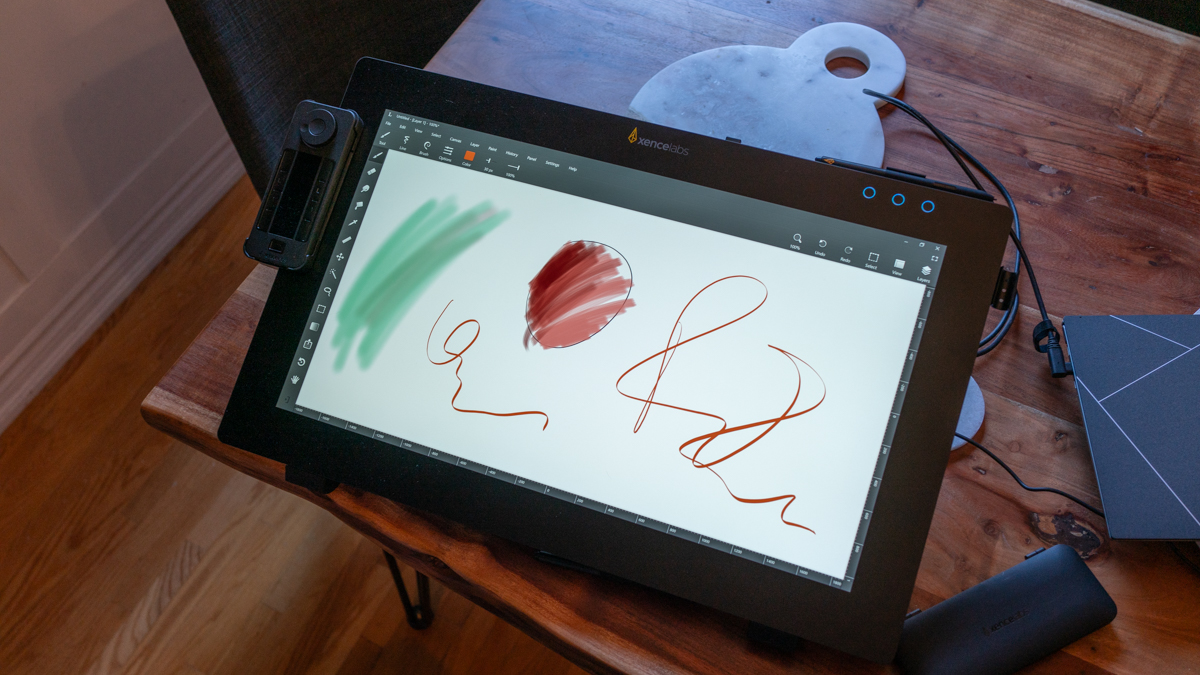
Image Credits: Darrell Etherington
Xencelabs also bundles the display with a tilting stand that gives you plenty of options for using it both mostly upright as a traditional screen, or at a range of different angles comfortable for drawing on a desktop surface. Wacom, by contrast, only includes two integrated kickstand feet with the Cintiq Pro 24, which gives you just one slightly inclined angle for drawing without purchasing additional stand or arm-mounting options.


The bezels on the tablet are generous enough to make you feel like you’ve got room to maneuver without blocking what you’re working on, but they still put the screen in focus. The screen is also flush with the bezels, and all of the above are covered with that etched glass for a smooth, continuous modern look.
Design
Xencelabs has done a great job with the design of this pen display, resulting in a device that feels functional but modern, with flexible use configurations that should make for comfortable use no matter your working environment or preferences re: stand, VESA mount, angle of inclination (the included stand goes from 16 to 72 degrees), etc.
For connectivity, there’s a USB-C port, an HDMI 2.0 port, one DisplayPort and two USB 2.0 ports for connecting additional accessories. Here, the Xencelabs falls down a little bit versus the Wacom, because the Cintiq Pro 24 includes a built-in SD card reader, which really comes in handy when you’re using the display for a photo-editing workflow.
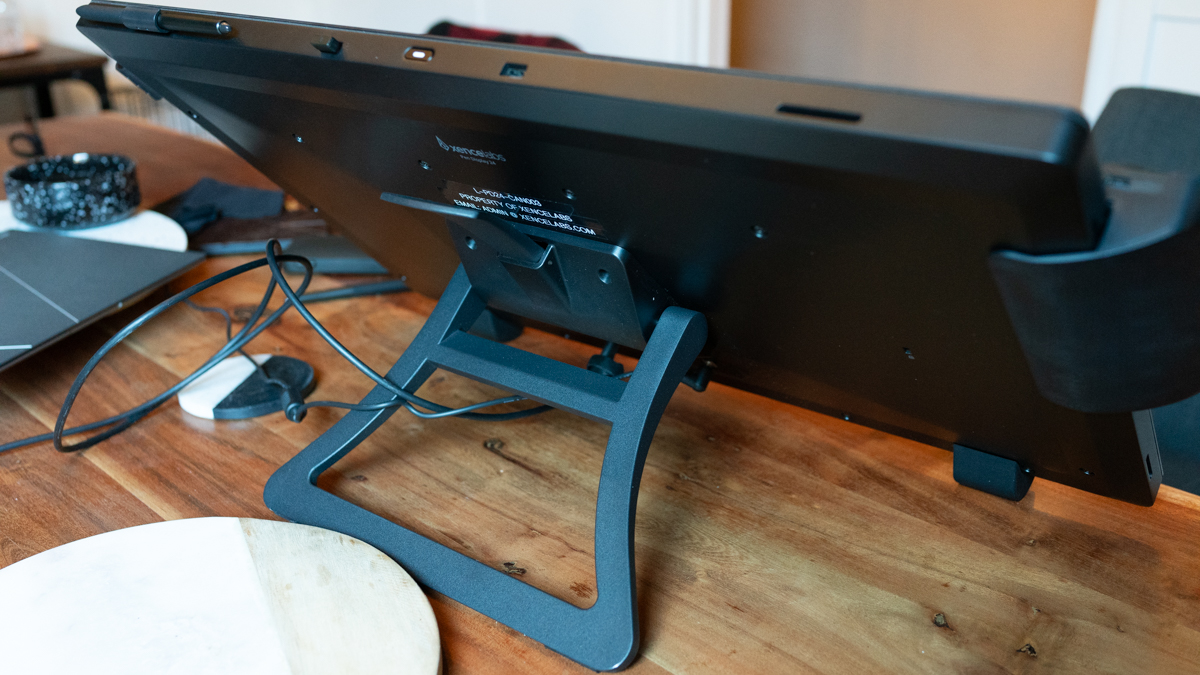
Image Credits: Darrell Etherington
The included accessories, with the two different pens and the Quick Keys controller, are a huge plus here. You can even have both pens clipped to the display at once for easy access, which is useful if you ever want to, for example, use one for painting and one for inking or line work. The Quick Keys controller is a great add-on — Xencelabs has offered it separately before introducing the Pen Display 24 and I’ve previously picked one up just to replace my ExpressKeys and supplement my personal Wacom setup.
Features and performance
In terms of color rendering, brightness and the feel of stylus on glass, Xencelabs has really stepped up to the plate here — especially impressive because this is their first pen display, having previously stuck to the realm of no-display pen tablets.
As a Cintiq Pro 24 owner and user myself, I’m well-equipped to compare what it’s like using both tablets. The good news for those looking to save a few hundred bucks is that the experience is very similar, despite Wacom’s much more established industry reputation and solid track record of having delivered a long line of excellent integrated pen displays leading up to, and including, the Cintiq Pro 24.
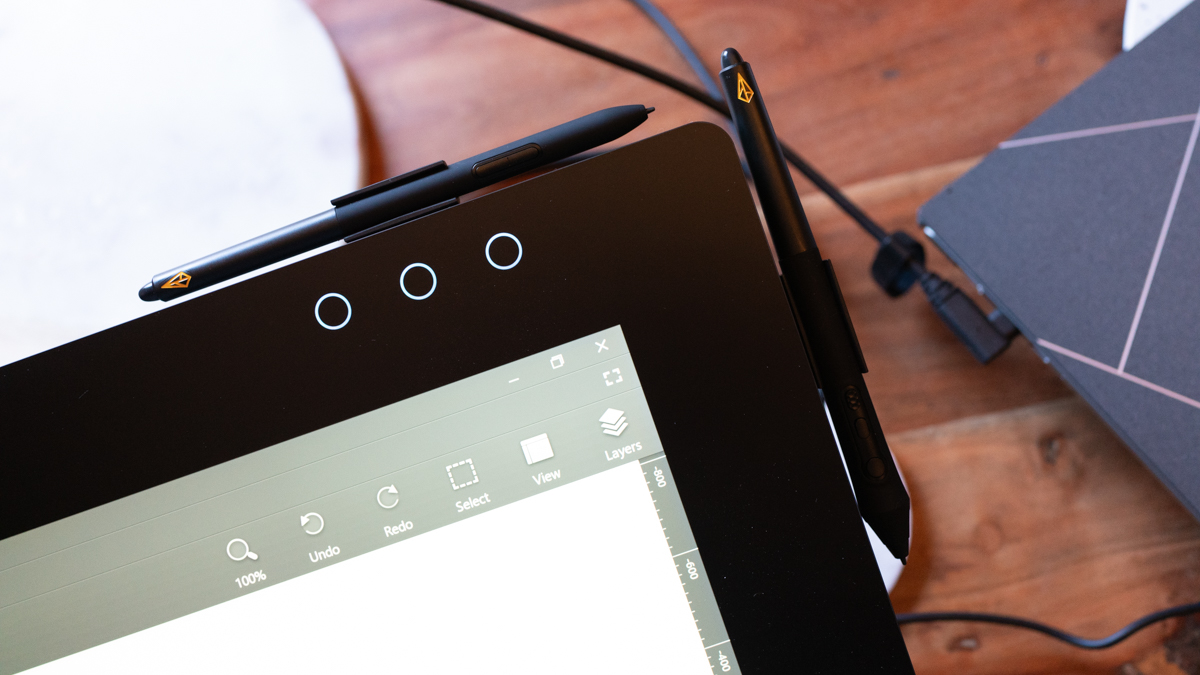
Image Credits: Darrell Etherington
Pen response (sensitivity is customizable, too), latency, pent tilt detection and palm rejection all feel just about the same as on the Wacom, and the distance from the glass to the actual display is such that it feels very much like you’re actually drawing on the screen right where your pen nib hits the surface.
One place where the Xencelabs really excels, in addition to the included stand and multiple pen options, is in its weight savings. More than two pounds of weight savings actually makes a very significant difference when it comes to portability. At 13.3 lbs, it’s still not something you’re likely to chuck in a backpack for a day trip (and it still needs a separate power supply in addition to the USB-C cable anyway), but for changing locations around the house, or for those trips when you do want the full capability with you for on-site editing, it’s considerably better than the nearly 16 lbs of Wacom’s option.
Bottom line
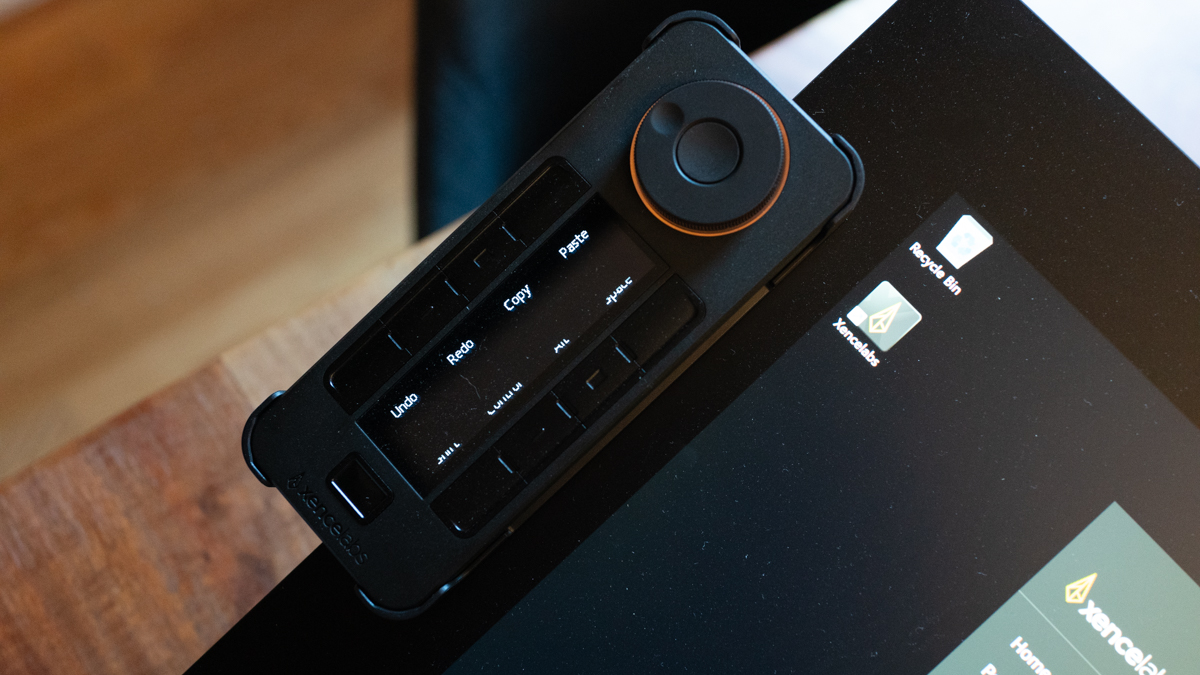
Image Credits: Darrell Etherington
At $1,899, the Xencelabs Pen Display 24 still isn’t anywhere near the realm of a flippant purchase decision for most. And conversely, the $300 gulf between it and the Cintiq Pro 24 is significant, but maybe not a big enough discount to make the choice an easy one for those who are comparison shopping.
The good news is that the Xencelabs Pen Display 24 is an excellent pen display, and one that should serve the interests of any artists looking for something with this size and resolution that offers direct creative input. In other words, if you’re looking at both and wouldn’t mind saving a few hundred dollars, you won’t regret going this route over the more established company — and remember, if you don’t want to have to buy any other accessories, that’s something you can get with the Xencelabs, too.


