• Business
  • Markets
  • Politics
  • Crypto
  • Finance
  • Intelligence
    • Policy Intelligence
    • Security Intelligence
    • Economic Intelligence
    • Fashion Intelligence
  • Energy
  • Technology
  • Taxes
  • Creator Economy
  • Wealth Management
  • LBNN Blueprints
  • Business
  • Markets
  • Politics
  • Crypto
  • Finance
  • Intelligence
    • Policy Intelligence
    • Security Intelligence
    • Economic Intelligence
    • Fashion Intelligence
  • Energy
  • Technology
  • Taxes
  • Creator Economy
  • Wealth Management
  • LBNN Blueprints

How to Right Click on iPad?

Simon Osuji by Simon Osuji
February 24, 2024
in Business
0
How to Right Click on iPad?
0
SHARES
2
VIEWS
Share on FacebookShare on Twitter

Guide: How to Right Click on iPad?

Unlocking the full potential of your iPad involves mastering its features, and one essential skill is knowing how to right-click.

Whether you’re a seasoned iPad user or a newcomer, we’ll guide you through the simple steps to unleash the power of contextual menus on your iPad.

Also read: How to Add StubHub Tickets to Your Apple Wallet
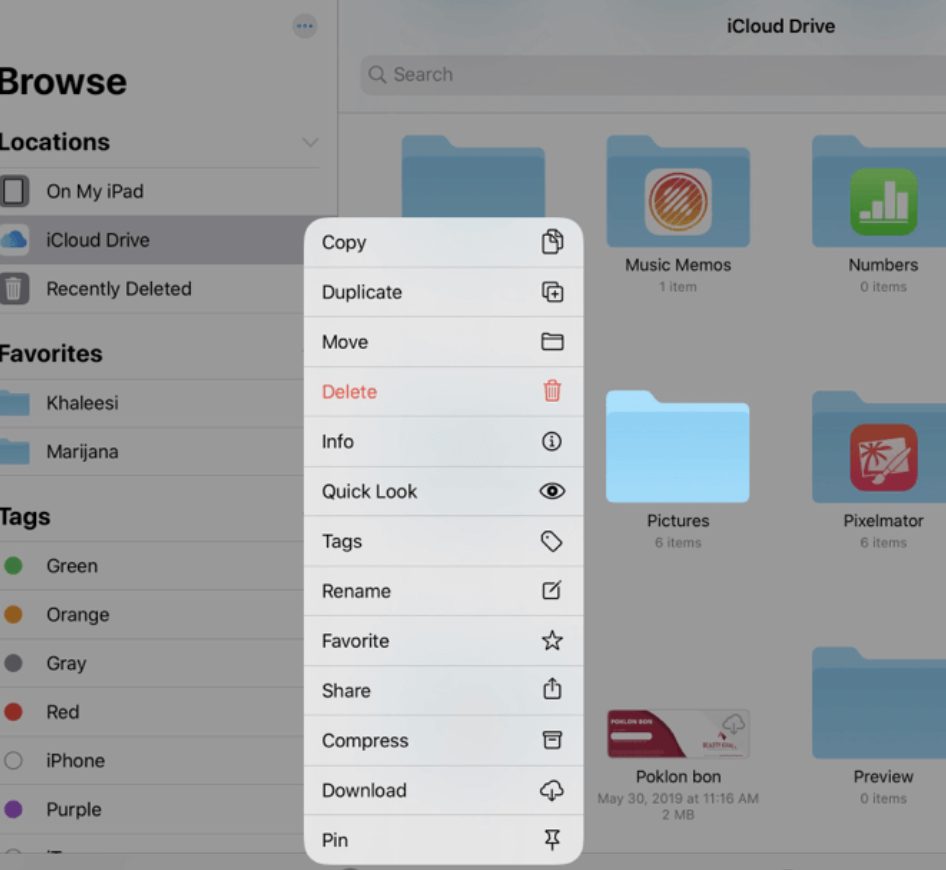
How to Right Click on iPad?

The Trackpad Magic

Step 1: Open the Settings

To enable the right-click function on your iPad, head to the “Settings” app. This is your gateway to unlocking a world of additional functionalities.

Step 2: Access Trackpad Settings

Within “Settings,” navigate to “Accessibility” and then “Touch.” Tap on “Trackpad” to access the settings that govern your iPad’s touchpad.

Step 3: Activate Right-Click

Toggle the “Tap to Click” option; beneath it, you’ll find the “Secondary Click” option. Choose the “Finger” option for a seamless right-click experience.

Also read: Cuba to Join & Accept BRICS Currency in 2024?
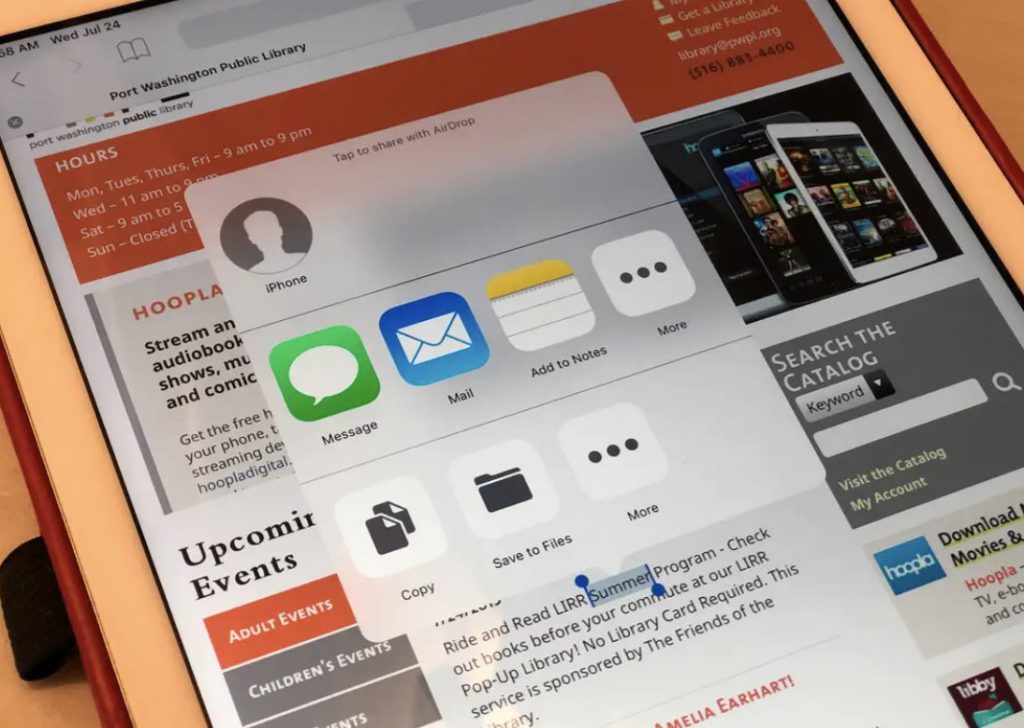
How to Right Click on iPad?

How to Right Click on iPad?: Tap and Hold for Contextual Magic

Tapping and holding your finger on the iPad screen can trigger contextual menus for those who prefer a more tactile approach.

Step 1: Navigate to the App

Locate the app or item you want to explore on the home screen. It could be an icon, a link, or an image—anything that typically responds to a right click.

Step 2: Hold Your Finger

Instead of a traditional click, press and hold your finger on the screen. This action mimics the right-click function, unveiling contextual menus associated with the selected item.

Step 3: Explore Click Functions

Release your finger, and you’ll be greeted with a menu offering various options related to the item. This is where you can access additional functions, shortcuts, or settings.

Mastering Contextual Menus

Understanding contextual menus is the key to unlocking a myriad of possibilities on your iPad.

Tap and Hold Anywhere

It’s not limited to app icons—try tapping and holding your finger on any part of the iPad’s screen to reveal context-specific options.

Long Press for More

Experiment with the duration of your press. A more extended hold might unveil even more features or settings related to the selected item.

Open the Settings for Customization

To fine-tune your right-click experience, delve into the iPad’s settings. There, you can customize various aspects, from the pressure needed to trigger a right-click to its associated functions.

How to Right Click on iPad?

Mouse or Trackpad: A More Traditional Approach

Connecting a mouse or trackpad to your iPad is a game-changer for those who prefer a more traditional input method.

Step 1: Open the Settings

Begin by opening the “Settings” app on your iPad. This is your control center for customizing input devices.

Step 2: Access Mouse or Trackpad Settings

Within “Settings,” go to “Accessibility” and then “Touch.” Tap on “AssistiveTouch” and navigate to “Devices.” Here, you can pair and customize your connected mouse or trackpad.

Step 3: Enjoy the Right-Click Freedom

Once connected, your mouse or trackpad will seamlessly integrate with your iPad. Right-clicking becomes as simple as clicking the designated button.

In conclusion, mastering the art of right-clicking on your iPad opens up possibilities.

Whether you prefer the touchpad experience, the tap-and-hold method, or the traditional mouse input, the choice is yours. Follow these straightforward steps, customize your settings, and embrace the convenience of contextual menus on your iPad.

It’s time to take your iPad navigation skills to the next level!

Source link

Related posts

How Low Can XRP Price Crash In This Cycle? Hopes For Rebound

How Low Can XRP Price Crash In This Cycle? Hopes For Rebound

February 5, 2026
Dangote Refinery Full Capacity | The Habari Network

Dangote Refinery Full Capacity | The Habari Network

February 5, 2026
Previous Post

US agencies pause Biden-sanctioned emergency miner survey following lawsuit

Next Post

SA marks one year on the FATF grey list

Next Post
SA marks one year on the FATF grey list

SA marks one year on the FATF grey list

Leave a Reply Cancel reply

Your email address will not be published. Required fields are marked *

RECOMMENDED NEWS

Tunisia’s Djerba Island: A Hidden Tourist Gem

Tunisia’s Djerba Island: A Hidden Tourist Gem

10 months ago
The worst-performing African currencies against the dollar as of December 31, 2024.

The worst-performing African currencies against the dollar as of December 31, 2024.

1 year ago
Confederate Memorial coming down at Arlington National Cemetery near Washington, DC

Confederate Memorial coming down at Arlington National Cemetery near Washington, DC

2 years ago
Lefty news giant exposes colossal failure of blue state’s drug decriminalization

Lefty news giant exposes colossal failure of blue state’s drug decriminalization

3 years ago

POPULAR NEWS

  • Ghana to build three oil refineries, five petrochemical plants in energy sector overhaul

    Ghana to build three oil refineries, five petrochemical plants in energy sector overhaul

    0 shares
    Share 0 Tweet 0
  • The world’s top 10 most valuable car brands in 2025

    0 shares
    Share 0 Tweet 0
  • Top 10 African countries with the highest GDP per capita in 2025

    0 shares
    Share 0 Tweet 0
  • Global ranking of Top 5 smartphone brands in Q3, 2024

    0 shares
    Share 0 Tweet 0
  • When Will SHIB Reach $1? Here’s What ChatGPT Says

    0 shares
    Share 0 Tweet 0

Get strategic intelligence you won’t find anywhere else. Subscribe to the Limitless Beliefs Newsletter for monthly insights on overlooked business opportunities across Africa.

Subscription Form

© 2026 LBNN – All rights reserved.

Privacy Policy | About Us | Contact

Tiktok Youtube Telegram Instagram Linkedin X-twitter
No Result
View All Result
  • Home
  • Business
  • Politics
  • Markets
  • Crypto
  • Economics
    • Manufacturing
    • Real Estate
    • Infrastructure
  • Finance
  • Energy
  • Creator Economy
  • Wealth Management
  • Taxes
  • Telecoms
  • Military & Defense
  • Careers
  • Technology
  • Artificial Intelligence
  • Investigative journalism
  • Art & Culture
  • LBNN Blueprints
  • Quizzes
    • Enneagram quiz
  • Fashion Intelligence

© 2023 LBNN - All rights reserved.