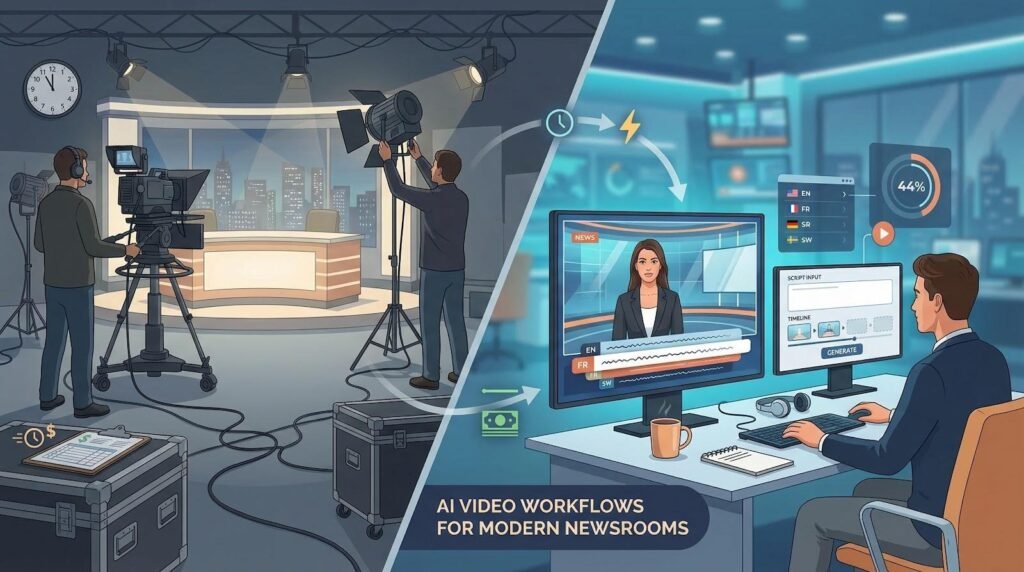
Video now dominates news consumption: 44 percent of U.S. adults say they prefer to watch the news instead of reading or listening. That shift pressures every newsroom—from legacy broadcasters to two-person start-ups—to produce polished clips around the clock.
Luckily, a new wave of AI video generators slashes both cost and complexity. Tools such as Leonardo AI let you fine-tune colour, motion and style frame-by-frame right in the browser, so you can ship studio-quality segments without a studio budget.
In this 2026 guide, you’ll see how seven leading platforms stack up, how we scored them, and which one deserves a test run for your next bulletin, explainer or late-night headline sprint.
Why newsrooms are adopting AI video

Audiences prefer screens to pages: 44 percent of U.S. adults say they would rather watch the news than read or listen, according to Pew Research Center.
Meanwhile, advertising revenue keeps sliding, and sending field crews on the road costs more each quarter. Traditional video workflows—cameras, lighting, post-production—devour hours and budget most outlets cannot spare.
AI video generators close that gap. Drop in a script, and minutes later your virtual anchor is on air, subtitles baked in, background graphics animated. Some tools even swap voices and languages on the fly, so one clip serves English, French and Swahili audiences without another late-night edit cycle.
Speed matters, too. When a story breaks at 11 pm, an automated system can package a two-minute briefing while the human team verifies leads for the morning follow-up. You stay first, fast and factual without exhausting the night shift.
How we ranked the tools
Video quality and realism (30 percent). Viewers trust faces and voices that look and sound human. Lip-sync accuracy, facial nuance and crisp resolution carry the most weight.
Newsroom features and flexibility (25 percent). Does the tool support 40 languages, provide lower-third templates or let you train a custom anchor? These capabilities dictate whether it suits a five-minute bulletin or a full prime-time rundown.
Ease of use and speed (20 percent). Breaking news waits for no one. A clear interface and render times under ten minutes help busy control rooms adopt new tech quickly.
Pricing and scalability (15 percent). Budgets span public-access channels to multinational networks, so we compared cost per finished minute, free-tier limits and enterprise discounts.
Brand trust and compliance (10 percent). We reviewed each company’s record on uptime, data security and disclosure safeguards. Vendors that skip watermarking did not make the cut.
Keep these weights handy as you explore the list; the calculations stay behind the curtain, but the logic remains in plain view.

1. Leonardo AI: best for custom news graphics and B-roll
Leonardo Interactive Pty Ltd turns written prompts or static images into smooth motion, offering a text-to-video and image-to-video workflow that locks style and composition from the first frame.

Leonardo AI video generator interface for custom news graphics
Leonardo comes from the image-generation world with a clear promise: treat motion the way designers treat stills, giving you full creative control in a browser window. Type a prompt, choose a model and nudge sliders until the lighting, camera move and colour palette feel on-brand. You can even lock characters and props so they stay consistent across multiple shots—a lifesaver when you need a quick cutaway to match your anchor’s rundown.
Because Leonardo focuses on scene generation rather than talking avatars, think of it as your virtual graphics department. Use it to create a looping satellite map, a stylised inflation chart or a mood-setting cityscape—assets that make any anchor package look prime-time without stock-footage fees.
Quality is strong. Videos export in 1080p, textures hold up under close-ups and the engine follows nuanced directions such as “slow dolly out at dusk.” You receive 125 free credits to test the system; paid plans scale by usage instead of resolution, keeping costs predictable for busy newsrooms.
Bottom line: pair Leonardo with an avatar tool later in this list, and you have a full studio—graphics plus presenter—for less than last year’s cable bill.
2. DeepBrain AI (AI Studios): best for photorealistic news anchors
If you want viewers to forget they are watching an algorithm, start here. DeepBrain’s AI Studios specialises in avatars that hold eye contact, blink naturally and land mouth shapes on every phoneme. Fox 26 in Houston airs a weekly highlight segment fronted by “Riva Houston,” a fully virtual correspondent built on this platform; the station saves studio time and still looks prime-time sharp.

DeepBrain AI Studios photorealistic news anchor interface
Workflow feels smooth. Paste a script, choose from more than 100 presenter avatars (or train your own) and press render. The system supports 55 languages, multi-avatar scenes and clips up to 30 minutes. Lower-third templates, virtual sets and an API for CMS automation round out the toolkit.
Pricing starts near 30 dollars a month for 10 minutes of video. The first export is free with a watermark. Paid tiers remove the mark and unlock HD downloads, keeping cost per minute competitive with a single freelance camera operator.
Pick DeepBrain when credibility is critical and you need a face that feels as real as the reporting behind it.
3. HeyGen: best all-rounder for quick newsroom videos
HeyGen works like Canva for broadcast. Open a project, drag an avatar onto the canvas, drop your script into the teleprompter pane and click Generate. Within five minutes a polished, captioned clip is ready for X, YouTube or the evening newscast.

HeyGen AI video editor canvas for fast newsroom clips
Templates handle the heavy lifting. Need a breaking-news stinger? A sports-desk two-shot? A vertical reel for Instagram? Choose a preset, swap the headline text and start rendering. The platform includes more than 100 avatars and 300 voices, and the Face Swap tool lets a reporter’s own likeness present a story without a trip to makeup.
The free tier provides a one-minute demo (watermark included). Paid plans start at 24 dollars a month, add 1080p downloads and remove branding. The minutes saved on lower-third graphics alone justify the subscription.
Choose HeyGen when speed and versatility matter more than cinematic nuance. It can deliver a credible clip before competitors finish storyboarding.
4. Synthesia: best for enterprise-grade consistency
Big networks and Fortune 500 comms teams choose Synthesia for one reason: scale. Upload a spreadsheet of localised scripts, and the platform produces hundreds of near-identical, fully captioned clips, each in its target language and delivered by the same photoreal anchor.
Quality lives in the details. Avatars maintain eye-line, hit tricky consonants and switch expressions mid-sentence. A library of more than 200 presenters pairs with support for 140 languages, so your Nairobi desk and Madrid bureau can share a single visual identity without dubbing headaches.
Pricing sits above freemium rivals. Thirty dollars a month buys ten minutes of video and browser-only embeds; the business tier adds 1080p downloads, custom avatars and white-label rights. For a national broadcaster, that spend remains a fraction of a live studio’s yearly coffee budget.
Pick Synthesia when brand guidelines read like gospel and every pixel must match from Boston to Bangkok.
5. InVideo: best for turning text stories into social video
Some stories read better than they look. InVideo solves that by turning any article, blog post or press release into a swipe-worthy montage. No anchor required.
Paste a URL or script, and the editor suggests scene blocks from its library of more than one million stock clips. Headlines animate, quotes pop and rights-cleared B-roll rolls under an AI voice-over. You can swap clips, add your own footage or dive into the timeline for frame-level tweaks, but most of the work finishes the moment you click Auto-generate.

InVideo AI article-to-video scene builder interface
Mobile reporters appreciate the companion app. Record a stand-up on your phone, then let InVideo add lower thirds and vertical captions before you leave the courthouse steps.
The free plan watermarks exports and caps resolution at 720p. Upgrade to 30 dollars a month for full HD, custom branding and priority rendering. If audience growth on TikTok or YouTube Shorts is a KPI, that budget line feels minor.
Choose InVideo when you need motion around words and charts, not a talking head. It keeps your text archive producing fresh video content long after publication.
6. Wavel AI: best for instant multilingual news
Picture your 6 am bulletin ready in English, French and Swahili before the coffee finishes brewing. Wavel makes that possible. Its AI News Anchor suite turns one script into a full video package, then auto-dubs the anchor’s voice so lip-sync matches every language. The system also tags each clip with subtitles and content credentials in a single render pass.

Wavel AI multilingual news anchor and dubbing interface
Because the avatar never sleeps, you can schedule updates around the clock, which helps with overnight markets or rolling election tallies. Wavel calls this “24/7 automated news delivery,” and the workflow is simple: upload, select languages, press Publish.
Customisation runs deep. Train a digital twin of your star presenter, clone their voice and keep brand equity alive while they are on assignment. Or pick from the stock avatar library and start faster than a live booking would allow.
Pricing is quote-based, but demos are free. For outlets seeking regional expansion, the ROI is clear: one editorial workflow, many language feeds, zero extra headcount.
Choose Wavel when reaching every corner of your audience matters more than fancy motion graphics. It is the tower of Babel for modern newsrooms.
7. Elai.io: best for 4K output and custom voice-overs
Some screens need more than HD. If your channel feeds a smart-TV app or a stadium jumbotron, Elai’s 4K export keeps graphics crisp and text tack-sharp. Few avatar tools break the 1080p ceiling; Elai does, with room to spare.
The platform mirrors Synthesia’s drag-and-drop flow but adds a twist: upload your own narration, and the avatar lip-syncs to it. An investigative reporter who dislikes appearing on camera can still present her story—voice, cadence and all—while an AI stand-in handles visuals.
You get more than 20 professional anchors, 75 languages and a solid stock-media vault. Rendering a 4K clip takes longer, so schedule large projects during off-peak hours.
Plans start at 23 dollars a month for 15 minutes of HD video; 4K output becomes available on higher tiers or as a per-video add-on. When pixel density and vocal authenticity top your checklist, Elai earns a closer look.
At-a-glance comparison
| Tool | Best use case | Starting price | Free tier? | Stand-out feature | Max res | Languages |
| Leonardo AI | Custom graphics & B-roll | Credits model (≈ 15 USD/mo) | Yes (125 credits) | Precise prompt control for motion | 1080p | Visual only |
| DeepBrain AI | Photoreal anchors | 30 USD/mo (10 min) | One watermark video | 100+ avatars, 30-min clips | 1080p | 55+ |
| HeyGen | Fast template videos | 24 USD/mo | One-minute watermark | Face-swap avatars | 1080p | 40+ |
| Synthesia | Enterprise scale | 30 USD/mo* | Demo embed | CSV batch generation | 1080p* | 140+ |
| InVideo | Article-to-video | 30 USD/mo | Watermark, 720p | Auto scene builder from URL | 1080p | 20+ (TTS) |
| Wavel AI | Multilingual reach | Quote based | Demo | Auto-dub with lip-sync | 1080p | 20+ dub voices |
| Elai.io | 4K premium | 23 USD/mo | One-minute test | 4K export, voice upload | 4K | 75+ |
*Higher-tier Synthesia plans add 4K downloads.
If you need 4K, Elai wins by default. If your newsroom files eighty language versions a week, Wavel or Synthesia deserve a closer look. Everyone else can sort by budget, avatar realism or template speed.
What’s next for AI news video?
The tools above already shrink production cycles from days to minutes. The next wave goes even further.
Realism keeps rising. OpenAI’s Sora model, now in limited beta, can generate one-minute clips with physics-aware motion and dynamic camera moves, no avatar required. When versions two and three reach public release, entire B-roll sequences may spin from a single headline.
Interactivity is coming. Platforms such as Colossyan already let viewers click buttons and steer the narrative. Expect that idea to cross into news, where an AI anchor pauses and asks which angle you want first—economy, politics or sports—then continues along that branch.
Multilingual output will shift from batch to instant. Wavel’s 24/7 news-anchor demo renders, dubs and captions a single script in many languages in one pass. As speech-to-speech translation models mature, simultaneous live translation will feel normal.
Finally, regulation is tightening. The EU AI Act, set to start next year, will require clear on-screen disclosure for synthetic video. Prudent vendors already watermark every frame, and careful newsrooms will follow suit to keep viewer trust.
Bottom line: AI video is sprinting toward real-time, personalised, global delivery. Start experimenting now, and you will ride the wave instead of chasing it.